Outcome: you can set up audiences and campaigns the right way on Meta, Google and TikTok. You can read your results and find the real cause of a problem. It may be the ad, the page, the offer or the checkout. Then you report it so it leads to a clear choice.
Related: Module 6 Defining campaigns, Module 7 Meta ads, Module 8 Google ads, Module 2 Diagnose and fix, SOP 05, SOP 06, SOP 09
In plain words
Stage: Attract (get seen by people who want what you sell). Every lesson below is tagged with its stage; see Attract, Convert, Grow.
What it is: How to set up ads correctly and read your results like a pro.
Why it matters: Good setup means you can trust the numbers. Good reading means you fix the real problem.
Do this:
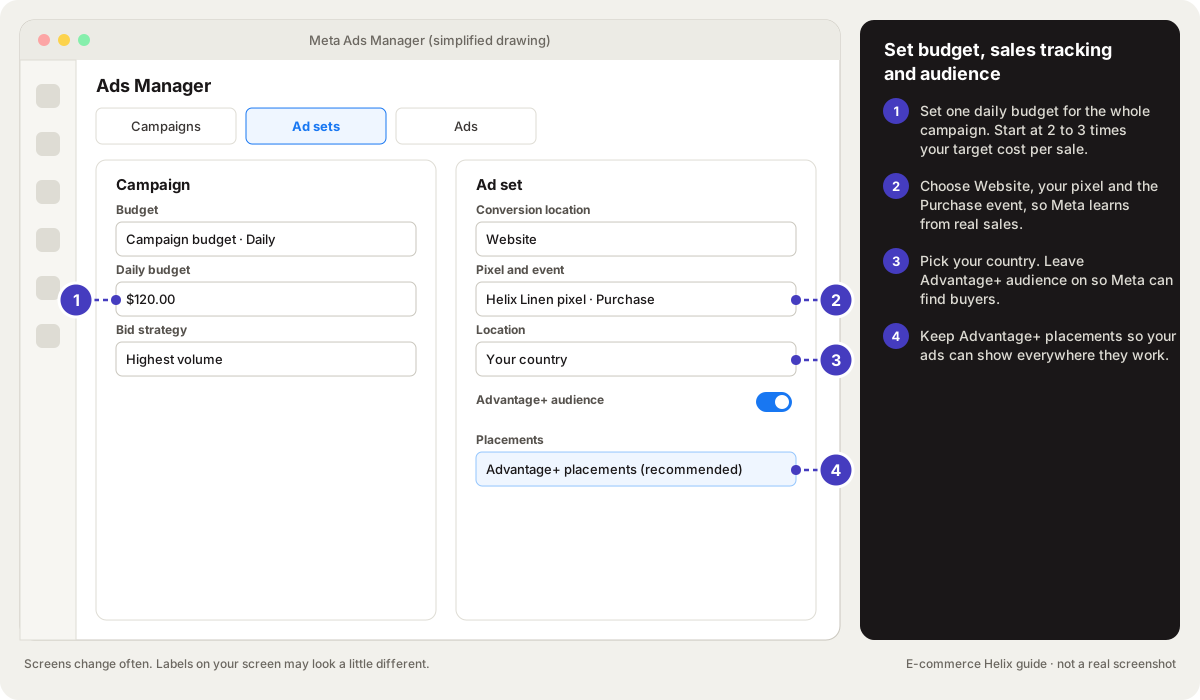
- Check that your pixel and sales tracking work before you spend.
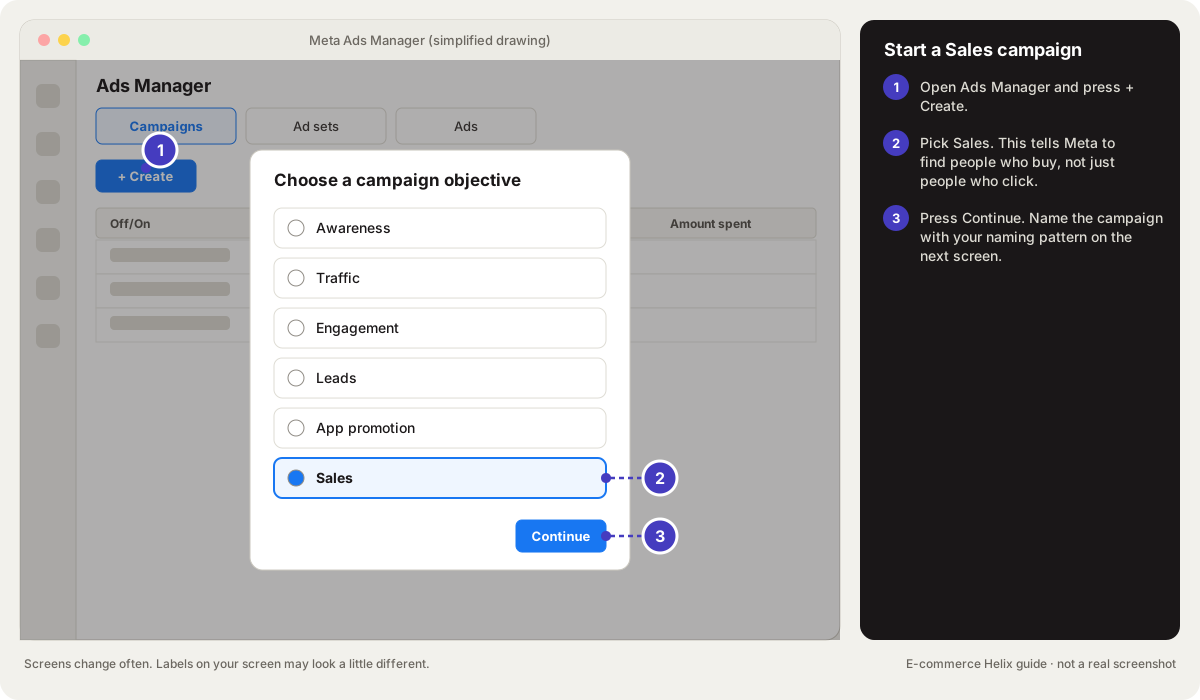
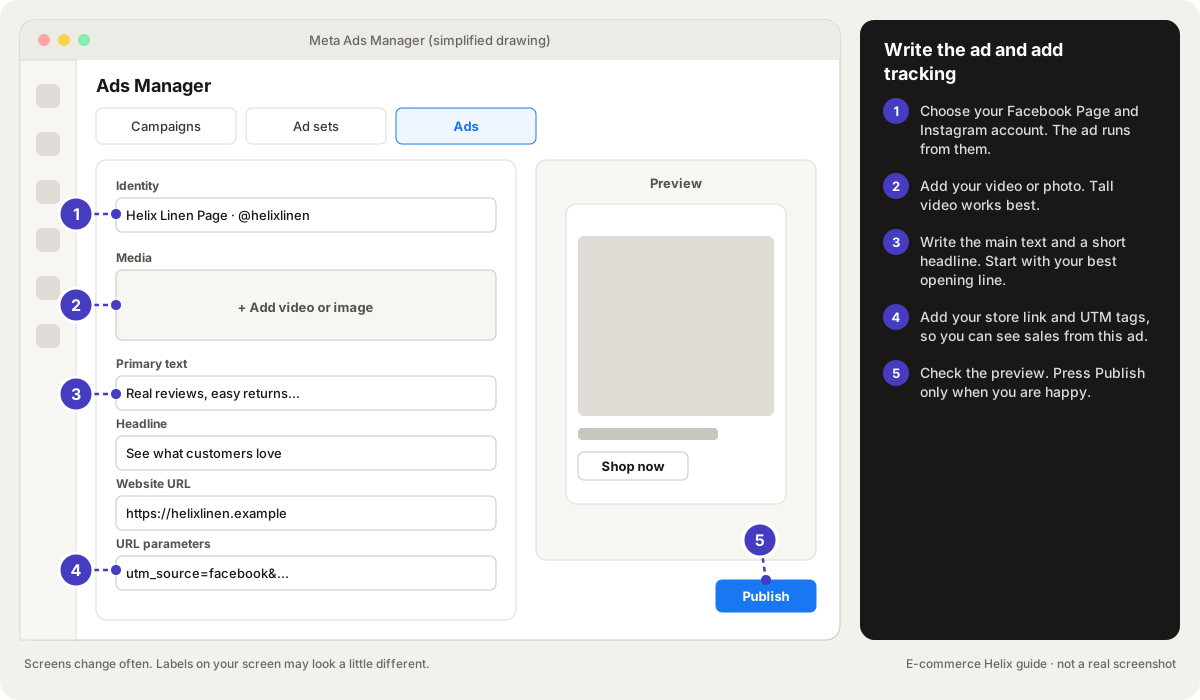
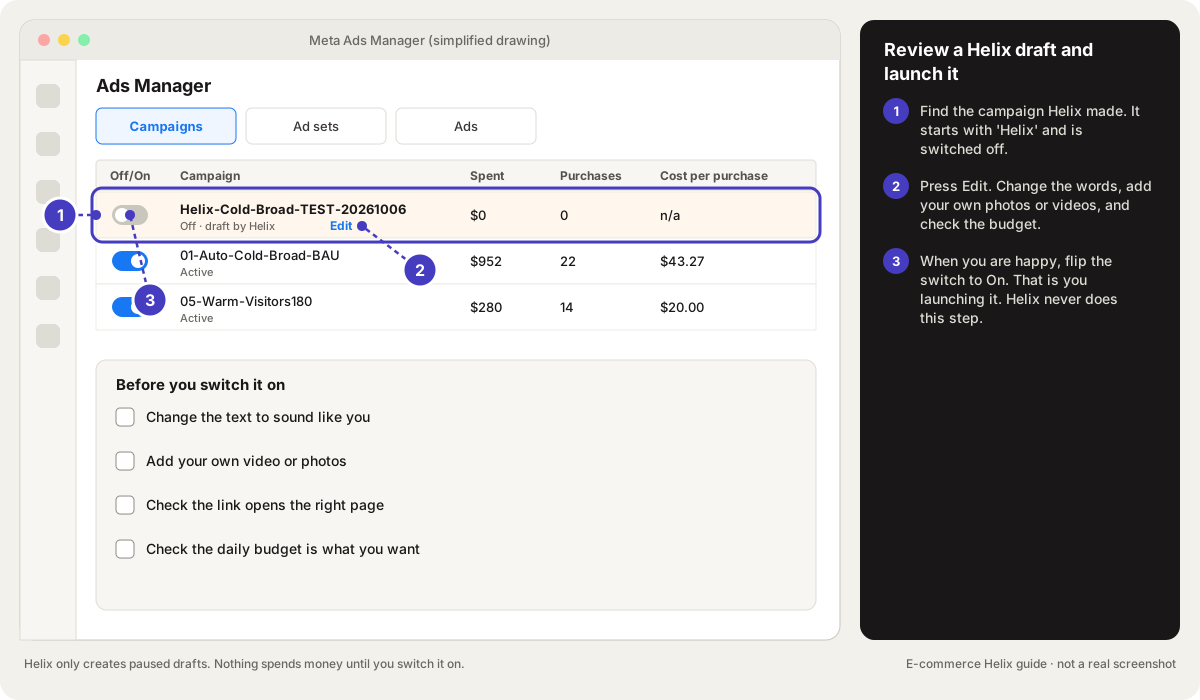
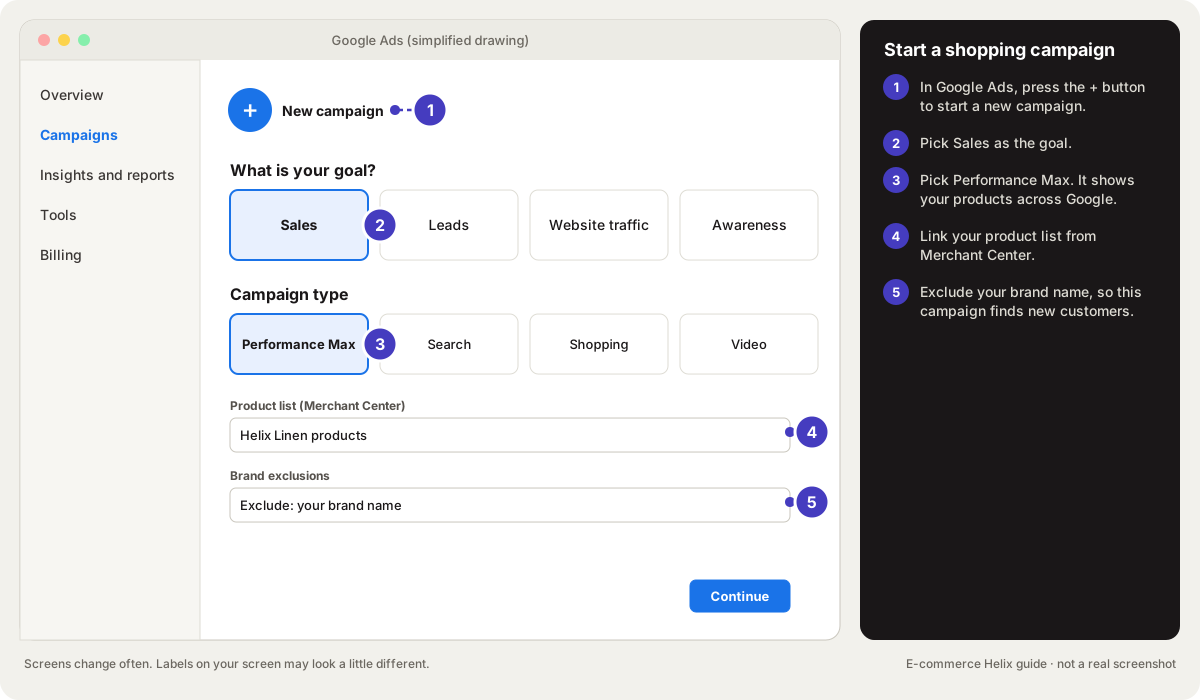
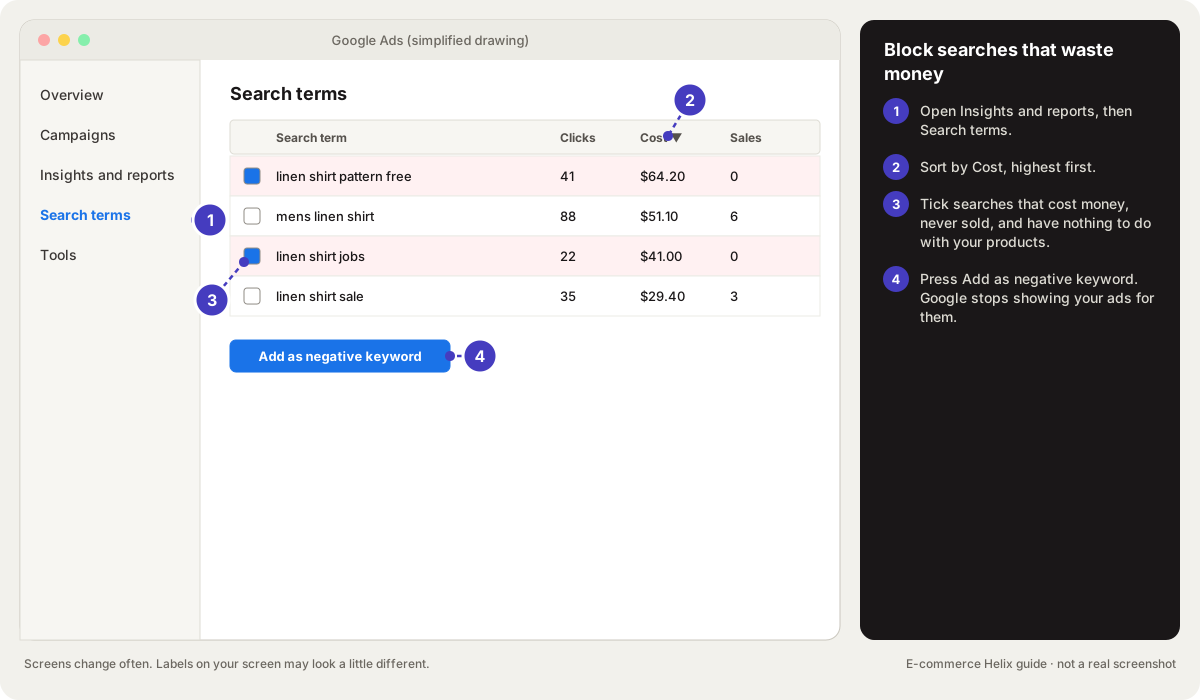
- Set up your campaign step by step (drawings below).
- When results drop, check in order: the ad, the page, the offer, the checkout.
Words to know:
- Pixel: A small piece of code on your store that tells Meta when someone views, adds to cart or buys.
- UTM: Tags added to the end of a link so your analytics can tell which ad or email a visitor came from.
- Attribution: Deciding which ad or channel gets credit for a sale. Meta's default counts sales within 7 days of a click or 1 day of a view.
- Funnel: The steps from seeing an ad to buying: visit, add to cart, checkout, order.
All words are explained in the glossary.